PKIX path building failed
Apr 26, 2025
This occurred to me recently while I was integrating JavaMoney library into my project. (Check it out, it's pretty cool.)
Since this is a currency API, behind the scenes it polls currency rate data from the European Central Bank. Being a secured website using HTTPS, it enforces the consumer to accept and contain the CA (Certificate Authority) for this particular website.
The consumer in our case is our Java program.
How to fix this step by step
-
Click on the HTTPS icon next to the URL in your browser. If you're using Chrome, you'll see something like this:
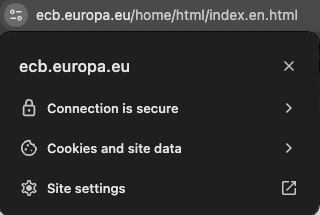
Then click on Site settings:
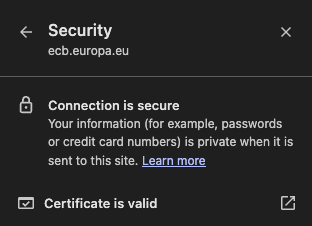
And finally on Certificate is valid:
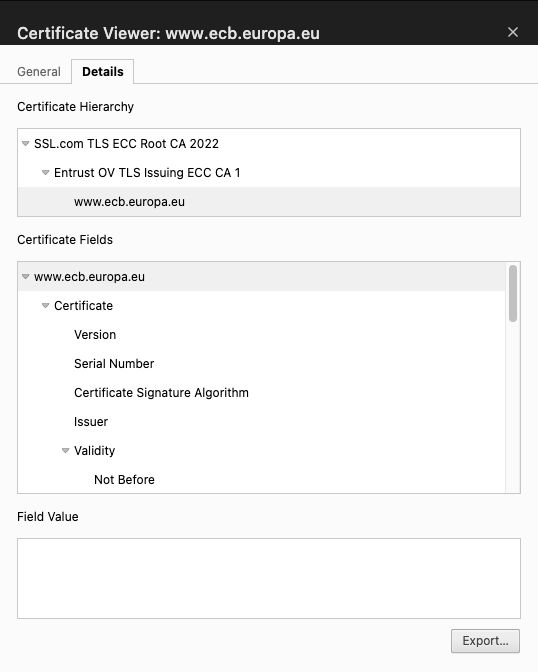
Click on Export... and make sure to download it with the
.DERextension. -
Determine where your
cacertsfile is located. Usually it's underlibin your JDK or JRE folder. For example on macOS:Library/Java/JavaVirtualMachines/jdk-17.jdk/Contents/Home/lib/security/
-
Add your certificate:
keytool -import -alias your_alias -keystore /path/to/cacerts -file your_cert.der
You will be prompted for a password. The default password for keytool is
changeit.Real example:
keytool -import -alias centralebank -keystore /Library/Java/JavaVirtualMachines/jdk-17.jdk/Contents/Home/lib/security/cacerts -file cebcert.der
The error should be fixed now.